03Case study / Games
VALORANT gifting + monetary systems
Gifting designed into VALORANT’s store, built from the game’s own design system.

Introduction
A gifting concept for VALORANT that became a live feature in the game.
VALORANT had no gifting system. Players had asked for one for years, and to gift, they bought a gift card and sent a friend the code.
I designed gifting into the game’s existing store, built from VALORANT’s own design system and components, and tested it with players.
I also worked on gifting with Riot Games, and screens from the delivered version appear throughout this case study.
- Product conceptGifting, designed into the store players already shop in.
- ResearchCommunity requests, the developer updates on Ask VALORANT, and how other games handle gifting.
- UXOne flow from the store to a sent gift: recipient, gift, confirm.
- UIBuilt from VALORANT’s own design system and components, designed to look taken straight out of the game.
- Economy designGift options across bundles, gun skin tiers, random skins, and VALORANT Points, with the player’s VP balance on screen.
- Testing5 players in moderated sessions, 4 major issues found, 4 fixes made.
Design Process
- 01
Map
Researched what players were asking for, defined the problem, and mapped the flow.
- 02
Sketch
Studied gifting in Riot’s other games and in popular shooters, then sketched the key screens in crazy 8s.
- 03
Decide
Storyboarded the solution, from the store’s gifting tab to the final confirmation.
- 04
Prototype
Built a high-fidelity prototype in VALORANT’s own design system.
- 05
Test
Tested with 5 players in moderated sessions and fixed the 4 major issues they raised.
Research + The Problem
Research
In 2020, Ask VALORANT, the game’s developer blog for community questions, said gifting was planned for the end of that year. It didn’t arrive. In 2022, the same blog said gifting was on the backlog and not a current priority.
That started talk on game articles and Reddit. Many players questioned the decision, since gifting could have earned the game more.
Meanwhile, gifting meant buying a gift card and sending a friend the code: many steps, room for mistakes, and a risk of fraud when cards came from questionable sources.
Players wanted to gift, and the game itself gave them no way to.
Gifting was how players wanted to support the game and treat their friends to cosmetics. The gift-card workaround put the average player off spending on the game.
- How might we
- Let players choose gifts for their friends?
- How might we
- Show players what each gift costs?
- How might we
- Let players buy gifts in the store they already use?
- How might we
- Keep players coming back through gifting?
Key Decision
Putting gifting in the store
The problem
Gifting needed a home: its own tab in the game’s interface, or a tab inside the store.
The options
- Give gifting its own tab in the interface. (ruled out)
- Make gifting a tab inside the store. (taken)
The decision
Gifting is a tab in the store, right beside the other ways to shop.
Why
Players arrive at the store already in a spending mindset, even in a free-to-play game. And League of Legends, Riot’s most popular game, had its gifting in the store.
The goal
A familiar setup that ties the two games together and cuts learning time for players moving between them.
- StorePlayers sign in and go to the store.
- Gifting tabThey choose the gifting tab.
- RecipientThey pick the friend to gift.
- GiftThey choose the gift.
- SendThey finalize and send it.

The delivered version
In the store, a gift button sits beside the price. The Gifting screen has 2 steps: select a recipient, then select a gift.
Sketches + Storyboard
Before sketching, I ran lightning demos of gifting in Riot’s other games and in popular shooters like VALORANT. Then I sketched the key screen layouts in crazy 8s.
The storyboard took the solution from the store’s gifting tab to the final confirmation.
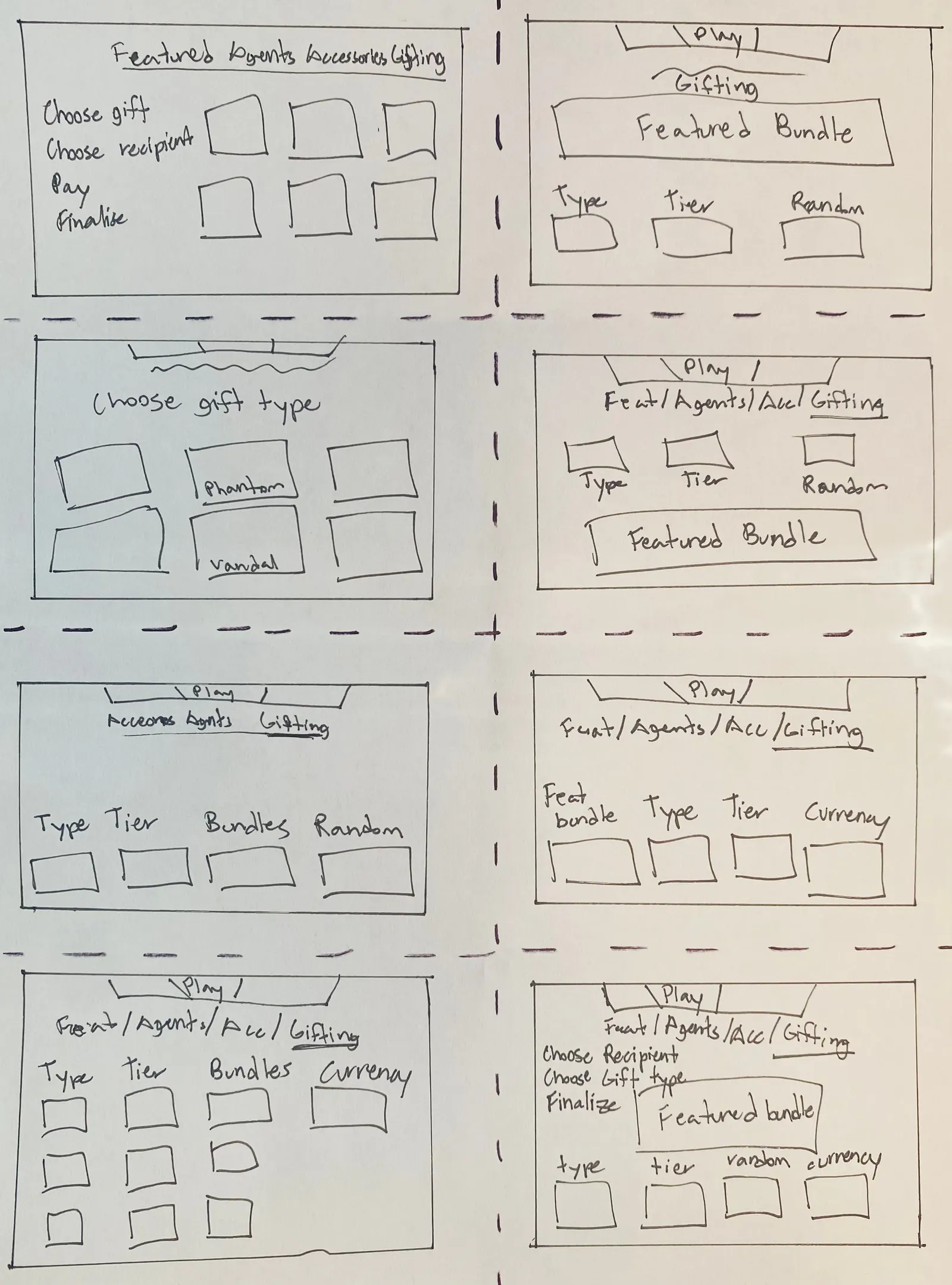
Crazy 8s
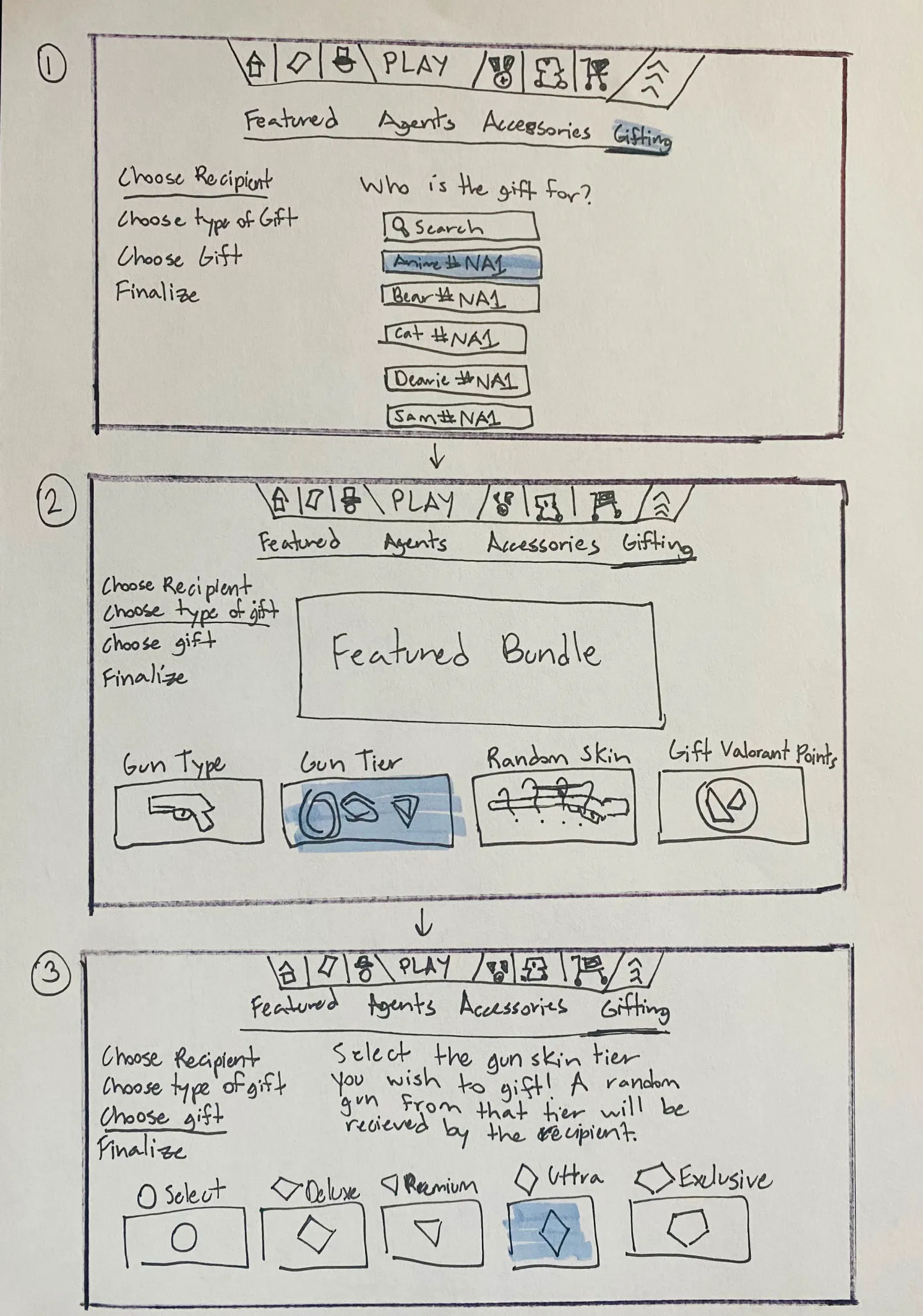
Storyboard, 1 to 3
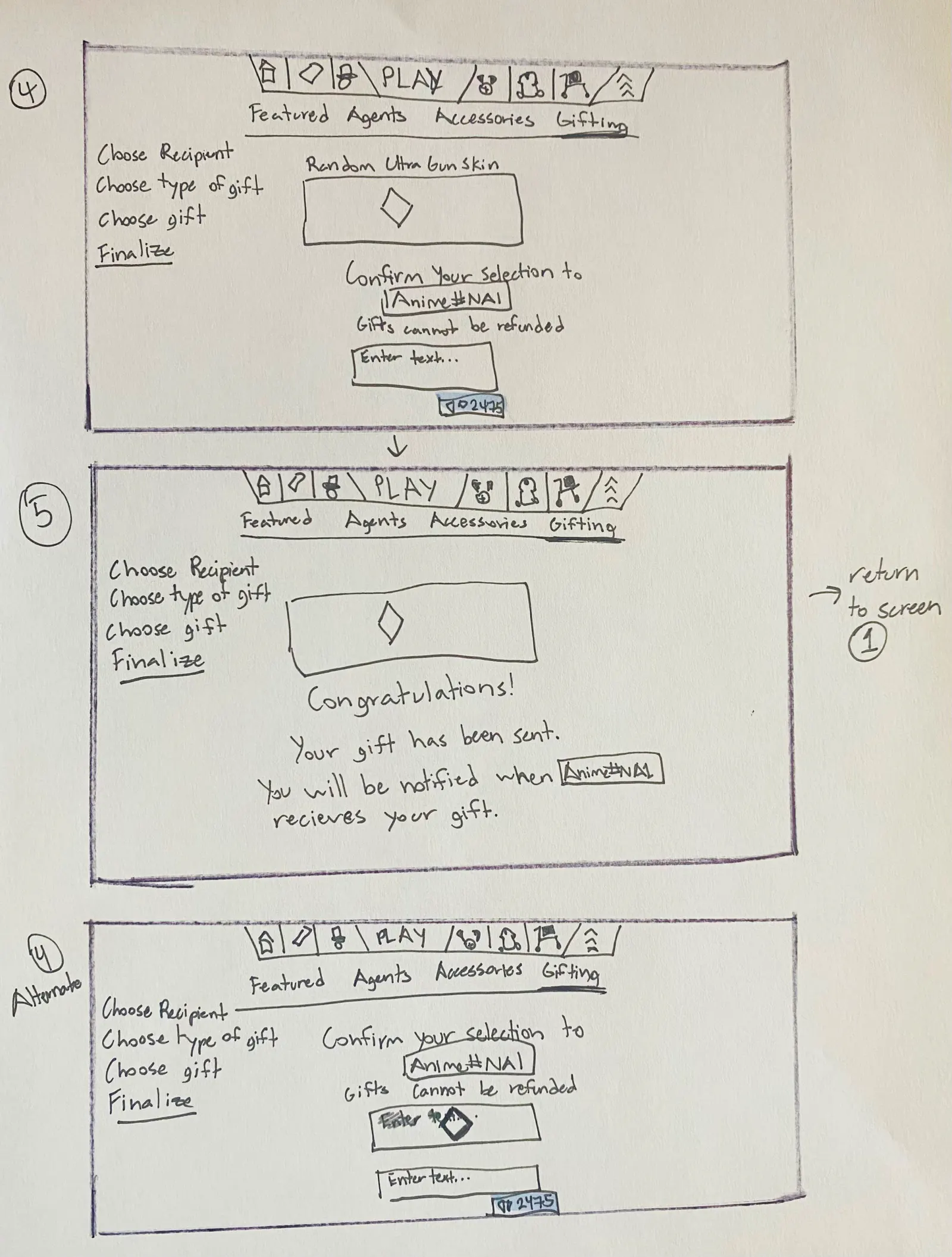
Storyboard, 4 and 5


Usability Testing + Iteration
I ran moderated tests with 5 players over video calls. Each was given a set of tasks and encouraged to think out loud, while I noted their thinking, their opinions, and how they used the prototype.
All 5 found it intuitive and pleasing to the eye. They also raised 4 major issues, and each one got a fix.
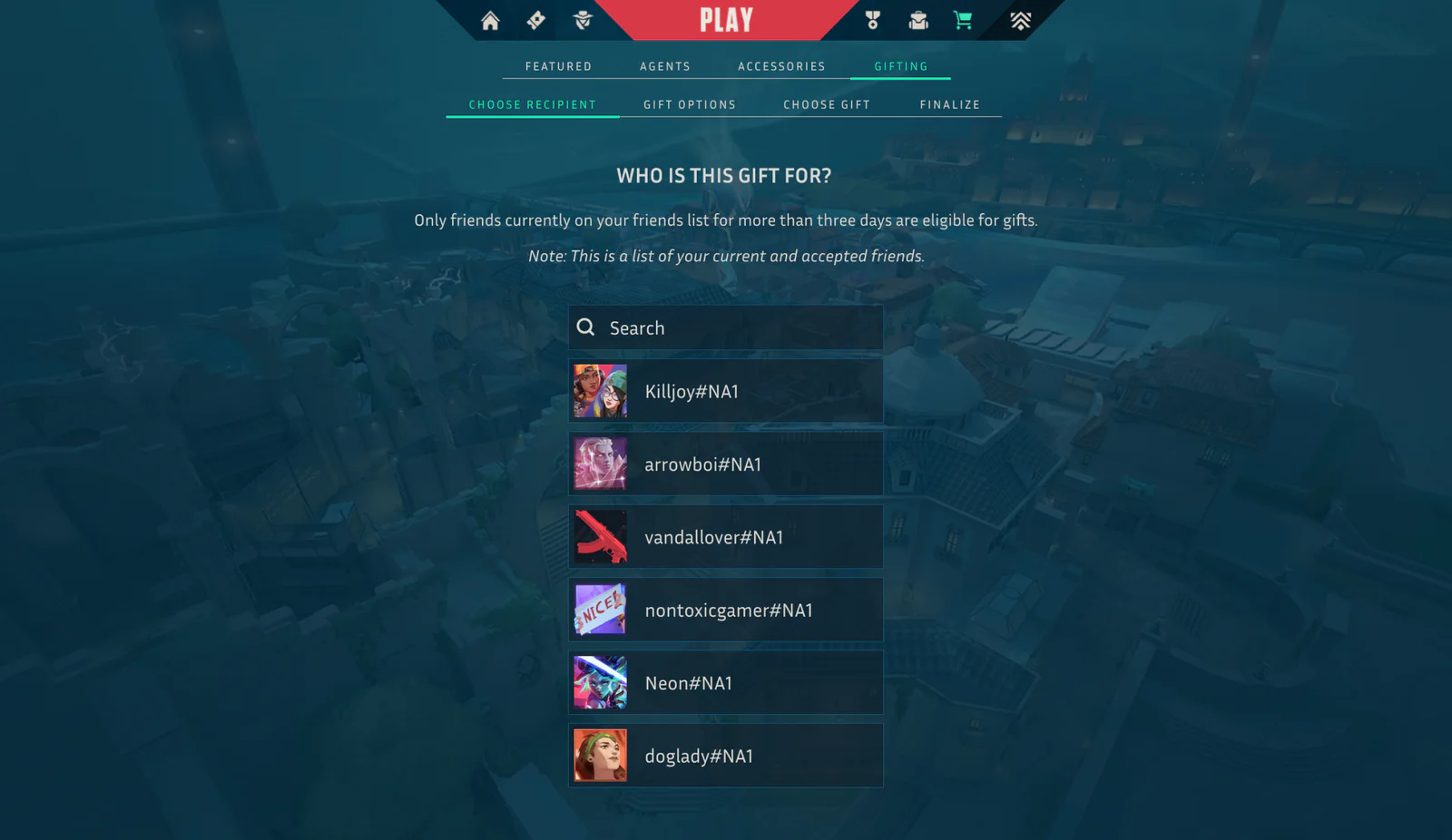
Before testingWhat testers found
- 3-day rule
- No balance
The copy said friends had to be on your list for more than 3 days to receive gifts, which testers saw as a loophole. And with no balance on screen, they couldn’t see their budget.
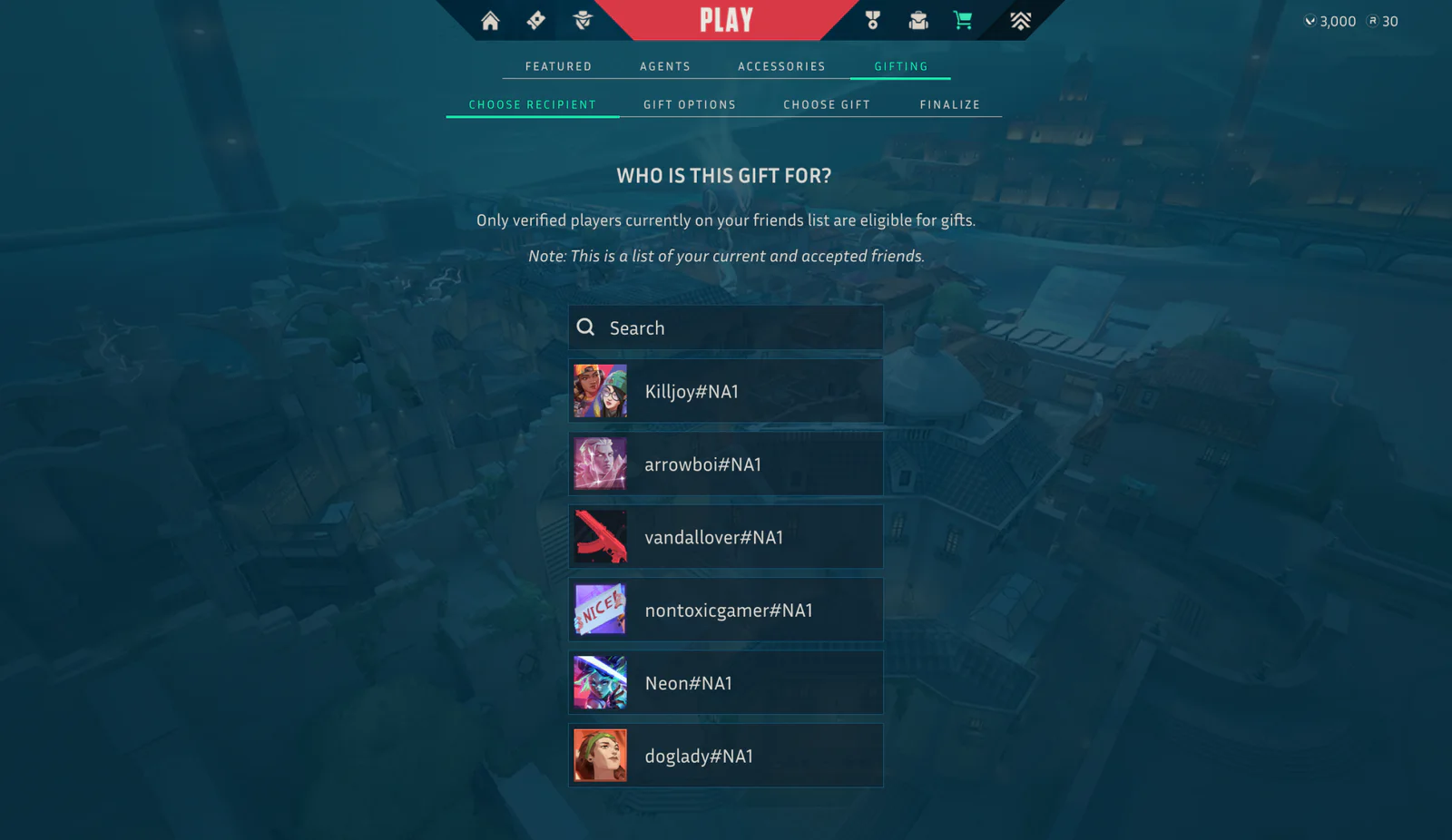
After testingWhat changed
- Verified players
- Balance shown
The copy now asks for verified players, for legal reasons, and VALORANT Points sit in the upper right, so players always know their balance.


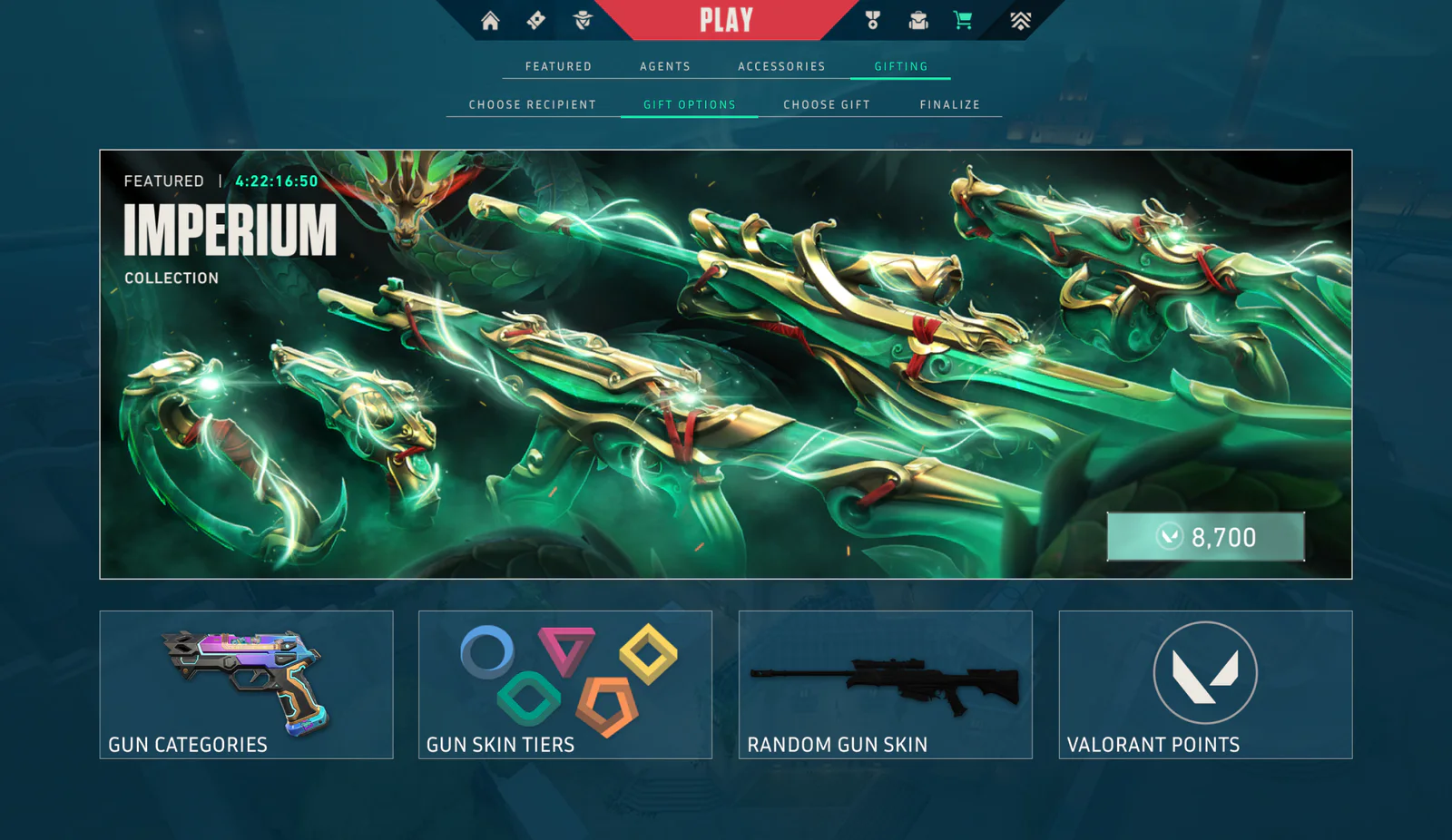
Before testingWhat testers found
- No gifting label
- No gift title
Testers confused this screen with the store and needed more to tell the two apart.
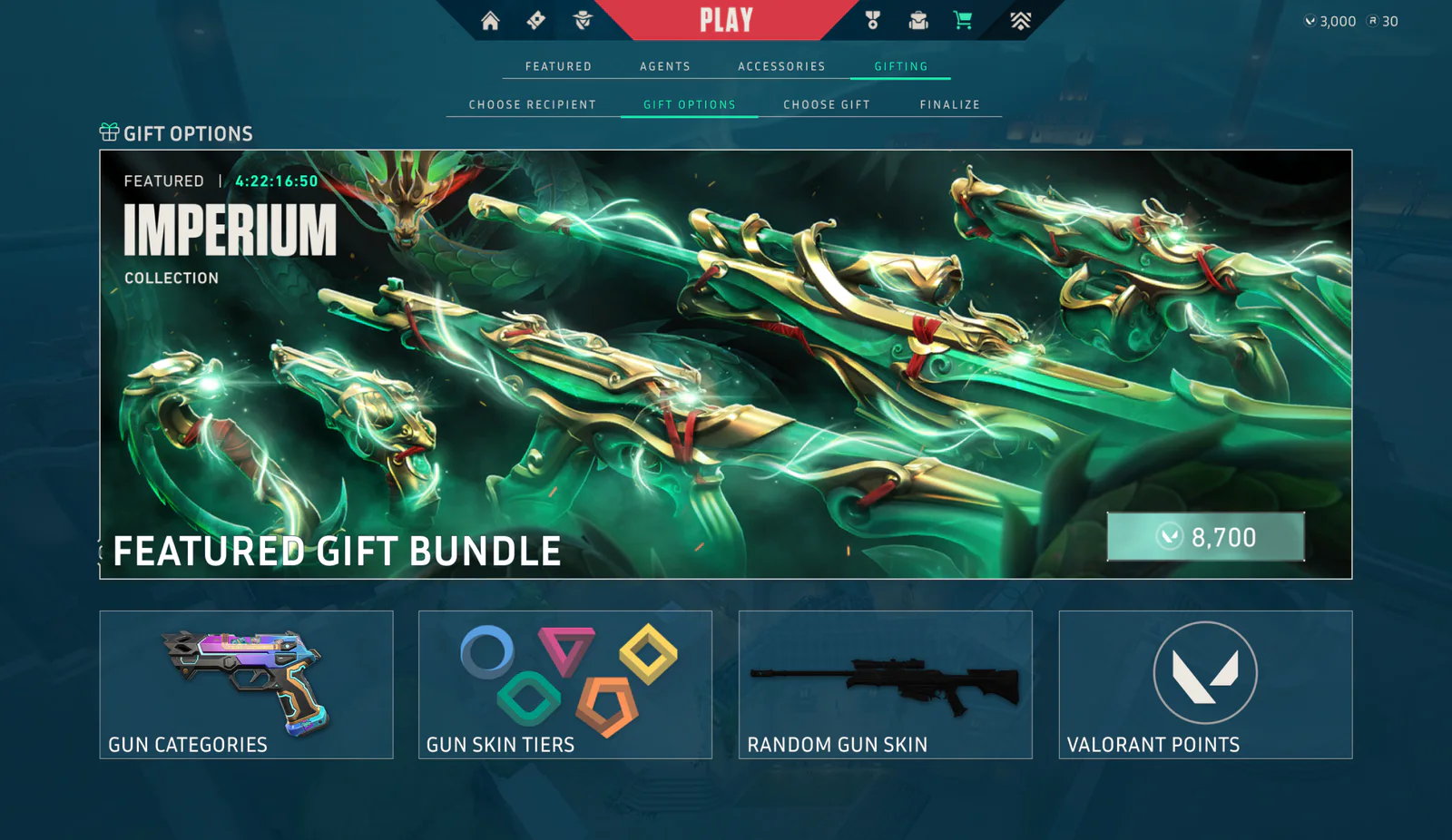
After testingWhat changed
- Gift Options label
- Featured Gift Bundle title
A Gift Options label with a present icon and a Featured Gift Bundle title were added, so it’s clear this is gifting, not shopping.


A warning before every gift
Testers flagged a legal risk: gifting by mistake instead of buying for yourself.
So I added a warning between finalizing and the congratulations screen, making it completely clear the purchase is a gift.

Confirm gift purchase

Price breakdown
Ideas from testing
- A notification on the main screen when a player receives a gift.
- A notification for the giver when their gift is opened.
- A pop-up for players to verify themselves, so they can receive gifts.
Learnings
- 01
Working in focused stages, one goal a day, takes a game feature from problem to tested design fast.
- 02
Designing inside a game’s own design system helps a new feature feel like it was always there.
- 03
Validating with real players turns a good design into a better one: each major issue they raised became a fix.
This project deepened my passion for designing player platforms in video games. It was a delight.